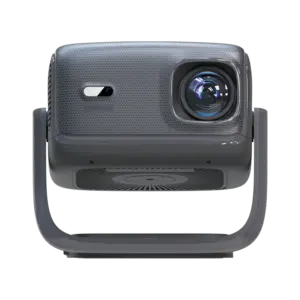


Android DLP Projectors
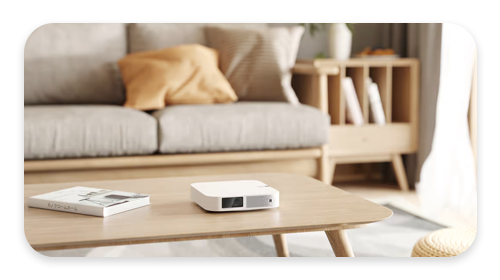
-
€250.86Add to cart
- Processor: Realtek RTD1322
- RAM: 2GB LPDDR4
- Storage: 32GB eMMC
- Display: 1920×1080, 500 ANSI
- OS: Android TV 12
€250.86 inc. VAT In Stock€264.39Showing the single result
Questions & answersFrequently Asked Questions
What are Android DLP projectors
Android DLP projectors are compact projectors that use Digital Light Processing (DLP) technology and run on the Android operating system. DLP technology utilizes microscopic mirrors to reflect light and create images with exceptional color accuracy and sharpness. These projectors often have built-in Android systems, enabling users to access apps, stream content, and enjoy various multimedia functionalities directly from the projector. Android DLP projectors provide the convenience of a portable device combined with the immersive viewing experience of a projector, making them ideal for home entertainment, presentations, and on-the-go use.
What should I look for in an Android DLP projector?
When choosing an Android DLP projector, several factors should be considered. Firstly, check the projector's brightness, measured in lumens, to ensure it suits your intended usage environment. Higher lumens are preferable for brighter rooms. Next, consider the projector's resolution, as higher resolutions provide crisper and more detailed images. Connectivity options like HDMI, USB, and wireless capabilities are essential for easy connectivity with other devices. Look for a projector with adequate storage capacity for apps and media files. Finally, pay attention to the projector's portability, battery life, and built-in speaker quality, as these factors can significantly impact usability and convenience.
Are Android DLP projectors difficult to set up and use?
No, Android DLP projectors are not difficult to set up and use. They are designed to be user-friendly and offer a seamless experience. Most Android DLP projectors come with intuitive interfaces and on-screen navigation that make it easy to navigate through the Android operating system. The initial setup typically involves connecting the necessary cables, adjusting the projector's position and focus, and connecting to a Wi-Fi network if needed. Once set up, using an Android DLP projector is similar to using an Android smartphone or tablet, with access to the Google Play Store and a range of pre-installed apps. Many projectors also come with remote controls or smartphone apps for convenient navigation and control. Overall, Android DLP projectors aim to provide a straightforward and enjoyable user experience, even for those new to projector technology.
What Android DLP projector do you recommend?
The DroiX D08 Android DLP projector is a great addition to any home with an easy to use interface that is perfect for your media consumption.